Appearance
API keys
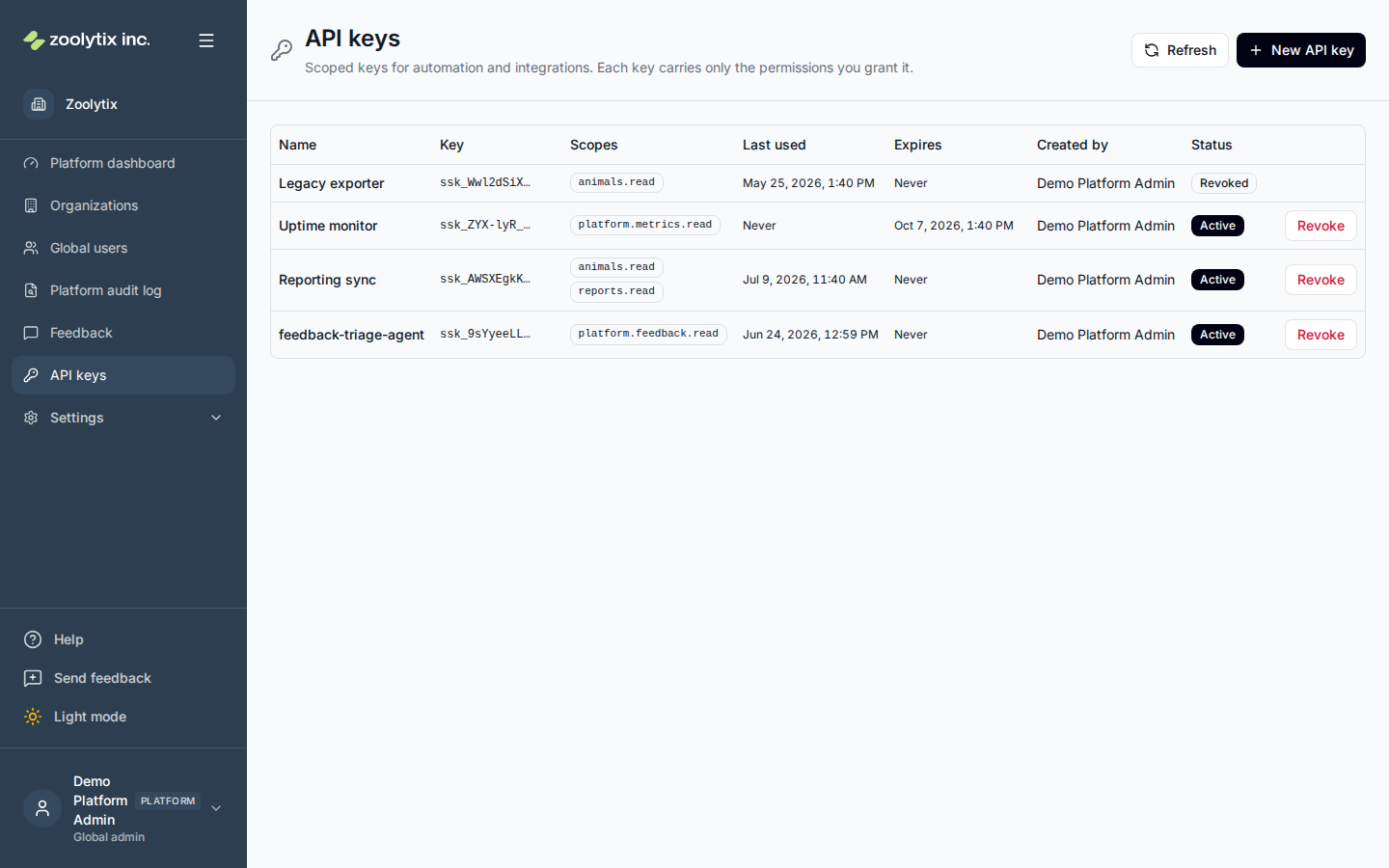
API keys are non-interactive credentials for scripts and integrations that call the ShelterSync API — a reporting pipeline, a sync job, a monitoring probe. This page is where the Zoolytix team creates, reviews, and revokes them.
What you can do here
- Create a key with the scopes an integration needs
- Copy the key secret when it is shown (it appears only once)
- Check when a key was last used
- Revoke a key that is no longer needed or may be exposed
How keys work
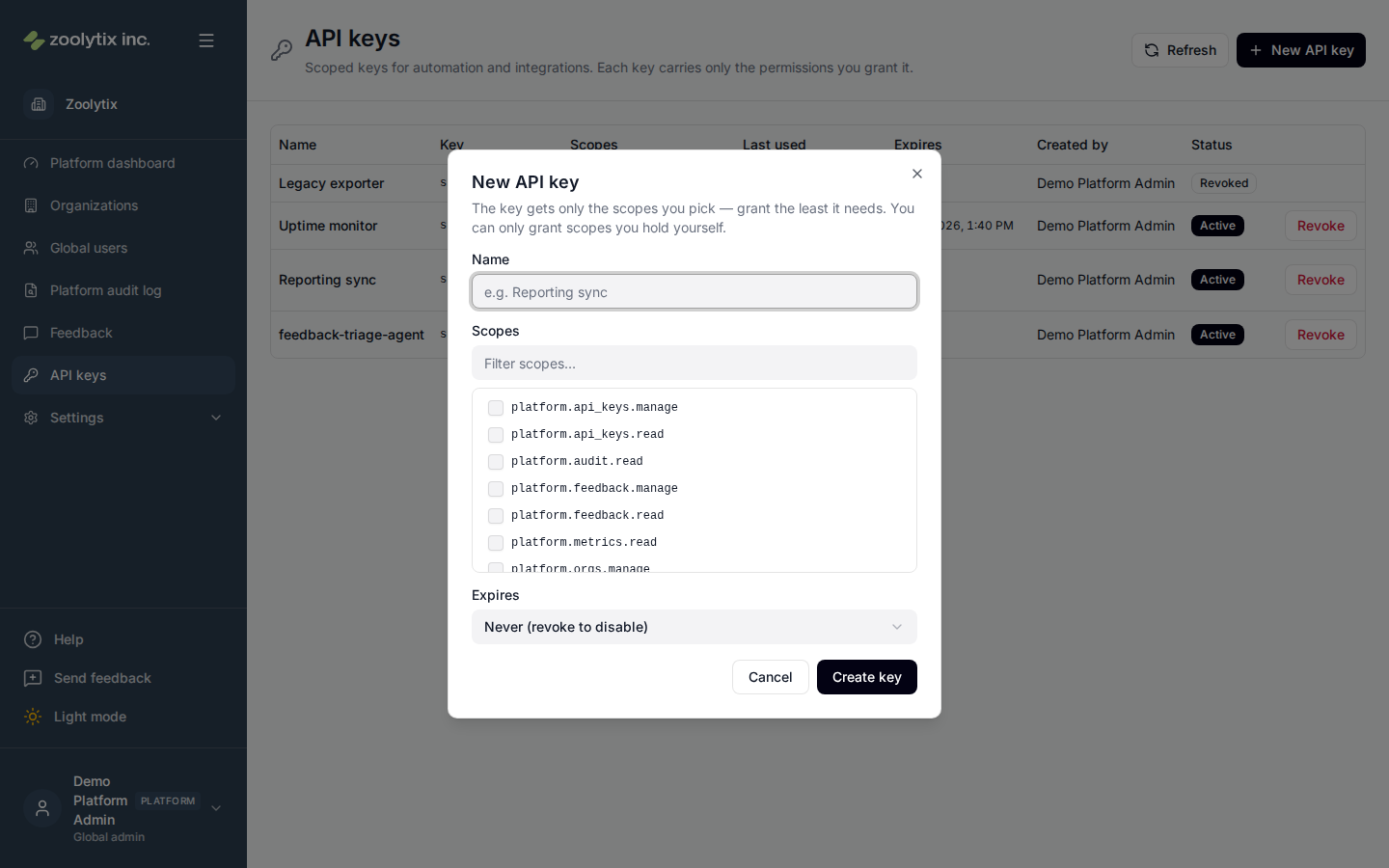
A key is scoped: it carries only the permissions you grant it when you create it, never a person's full access. Grant the least the integration needs — and note you can only grant scopes you hold yourself. Scopes are fixed for the life of the key; if an integration needs more (or fewer), revoke the key and create a new one.
Creating a key
Click New API key, name the key after the script or integration that will use it, pick its scopes, and optionally choose an expiry. When you create the key, the full secret (starting ssk_) is shown exactly once — copy it immediately and store it in your secret manager.
The secret appears only once
After you close the dialog, the list shows only the key's short identifying prefix — the secret is never retrievable again. If you lose it, revoke the key and create a new one.
Reviewing keys
The list shows each key's name, prefix, scopes, when it was last used, its expiry, who created it, and its status (Active, Expired, or Revoked). "Last used: Never" is a good sign a key can be retired; expired and revoked keys stay listed for the record.
Revoking a key
Revoke a key when its integration is retired or the secret may have been exposed. Click Revoke, confirm, and the key stops working immediately. Revocation cannot be undone — to restore access, create a new key. Both creation and revocation are recorded in the platform audit log.
Fields explained
| Field | What it means |
|---|---|
| Name | What the key is for — name it after the script or integration that will use it (for example "Reporting sync") so you can tell keys apart and know what breaks when you revoke one. |
| Scopes | The permissions the key carries. Grant the least the integration needs — the key can do only what its scopes allow, and you can only grant scopes you hold yourself. Scopes can't be edited later; revoke the key and create a new one instead. |
| Key (secret) | The full key (starting ssk_) is shown exactly once, right after creation — copy it then and store it in your secret manager. Afterwards the list shows only the short identifying prefix. If the secret is lost, revoke the key and create a new one. |
| Expires | Optional lifetime picked at creation. An expired key stops working automatically; a key with no expiry works until revoked. Expiry can't be changed later. |
| Last used | When the key last authenticated a request. "Never" means it hasn't been used — a good check before revoking, and a way to spot keys that are no longer needed. |
| Status | Active keys work; Expired keys passed their expiry date; Revoked keys were disabled by an admin. Only active keys can be revoked — expired and revoked keys stay listed for the record. |