Appearance
Group activities
Some things happen with several animals at once — a group walk, a playgroup, a shared enrichment session. Group activities let you run one session covering many animals and record who took part, instead of logging each animal separately.
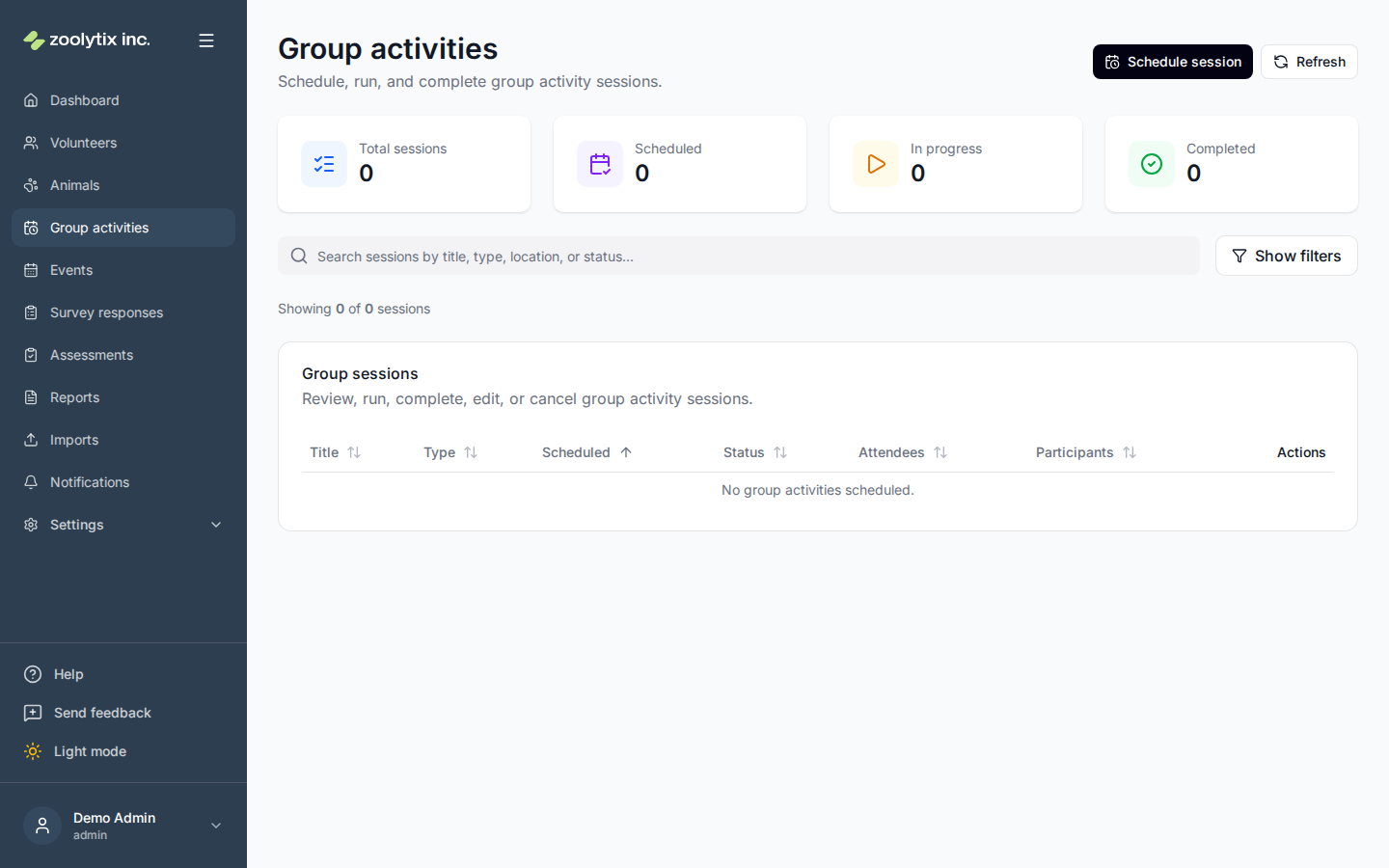
Who can use this page: staff and administrators schedule and run group activities; volunteers and fosters can view them here. On the phone app, sessions show on the Calendar with the shelter's events, and the people assigned to a session also see it on Home on its day. Staff and administrators can start and end a session from the phone too; volunteers and fosters see it there without Start or End. See Group sessions on the phone.
What a group activity is
A group activity is a single session tied to a type (such as "Group walk" or "Puzzle feeders"). The type also carries a category — broadly, an activity or an enrichment — which is how the session counts toward the right goals and reports. The list of types is managed in Settings → Lookups → Group activity types; add a type there and it becomes available when scheduling. Administrators can also add a type without leaving the schedule form — the New type button beside the type field opens the same create form, and the new type is selected for you.
Run a session
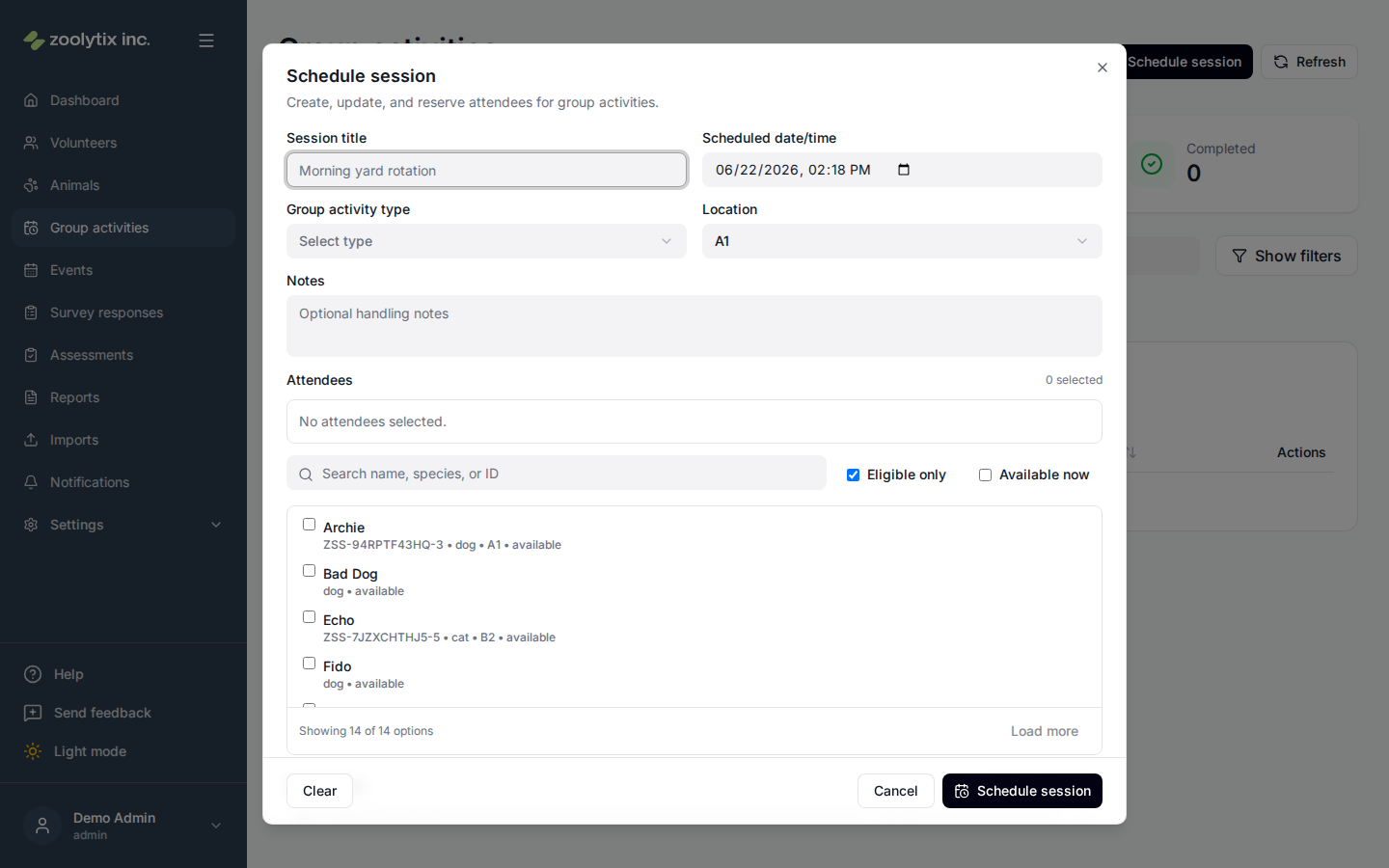
- Schedule a group activity: choose its type, time, and location. The location list offers the places marked Activities (see what a location is for), because the session takes its animals there when it starts.
- Add the animals taking part and record attendance.
- Start the session when it begins and end it when it's done. Starting takes each animal to the session's location; ending it — or cancelling it after it started, or taking an animal off it — puts each animal back where it was when the session started, unless someone has moved it or cleared its location since; then it is left as they left it. An animal that left the shelter while the session ran, adopted in ShelterLuv for example, is not put back: it stays where it is. Each animal is available again then too, unless something changed that while the session ran: one placed in foster, or one that left the shelter, stays unavailable.
- Capture any notes or outcomes so there's a record of how it went. An animal taken off the session before you open the End group activity form already has its outcome, Removed, so the form shows that outcome without letting you change it; you can still write a note for the animal.
Restricted animals in a session
An animal whose handling tier is Experienced only or Staff only can be added to a session like any other — it is never hidden or greyed out. What changes is the moment you press Start. If any attendee carries one of those tiers, one prompt lists each of them with its tier and its handling note, and asks you to confirm, animal by animal, that you are cleared to handle it. Confirm and start becomes available once every line is ticked; press Not now instead and nothing is recorded and nothing starts.
Each confirmation is recorded separately, with your name and the time, and each one is used up by the start it authorised — the next session with the same animal asks again. If an animal's tier or handling note changes while the prompt is open, that animal is shown again with what is true now; the others are not asked twice. Adding one of these animals to a session that is already running asks in the same way, because for that animal the session is starting then. This is enforced by ShelterSync itself, not only by the page, so it cannot be skipped by a client that does not show the prompt.
ShelterSync records the confirmation; it does not check whether you are cleared. What a tier means at your shelter, and who is cleared for it, is your own arrangement — the prompt tells someone who is not cleared to ask a staff member.
Fields explained
| Field | What it means |
|---|---|
| Start | Starts the session: attendees are marked in activity and checked out to the session's location. When the session ends or is cancelled, or an animal is taken off it, each animal goes back where it was when the session started, unless someone has moved it or cleared its location since; then it is left as they left it. An animal that left the shelter while the session ran, adopted in ShelterLuv for example, is not put back: it stays where it is. Each animal is available again then too, unless something changed that while the session ran: one placed in foster, or one that left the shelter, stays unavailable. If any attendee's handling tier is experienced-only or staff-only, one prompt lists each of those animals with its tier and handling note, and you tick a line for each to confirm you are cleared to handle it before the session starts. A separate confirmation is recorded per animal, with your name and the time, and each is used up by this start — the next session with that animal asks again. Adding such an animal to a session that is already running asks in the same way. Not yet assigned and volunteer-friendly animals never raise it, and no animal is hidden or greyed out because of its tier. |
| Type | The kind of group session (for example a walk or an enrichment session). The list of types is managed in Settings → Lookups → Group activity types. Administrators can also add a type on the spot with the New type button beside this field when scheduling a session. |
| Location | Where the session takes place. Only locations marked Activities are offered, because the session takes its animals there when it starts; a kennel marked only Housing is not. Locations are grouped by their building or area and listed in the same order as the location tree — type to search by the location's name or any part of its path (for example a building name to see everything inside it). Users who manage the location tree can also add a location on the spot with the New location button beside this field; it opens with Activities already ticked. |