Appearance
Foster program
One page to run your foster program: who's out, why, for how long, whether each home is staying engaged, and what fosters are reporting back.
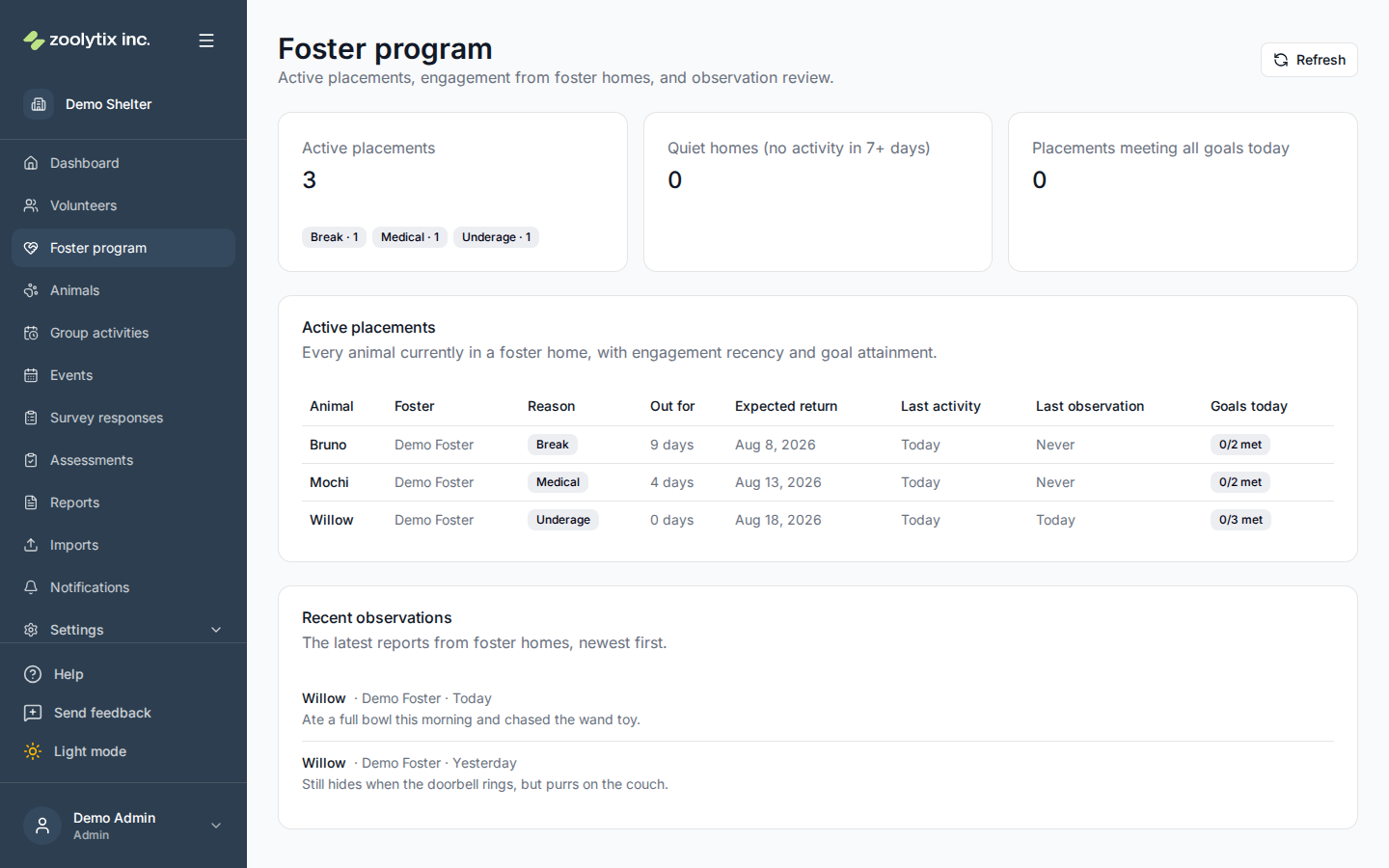
Who can use this page: administrators and staff with reporting access.
What you can do here
- Scan active placements and how long each animal has been out
- Spot quiet homes — placements with no activity in the last week
- Check goal attainment for fostered animals
- Review the latest observations from foster homes
Reading the page
- The summary cards show active placements (grouped by placement reason), quiet homes — placements with no logged activity in the last 7 days — and how many placements are meeting all of their activity goals today.
- The Active placements table lists every fostered animal with its foster, reason, time out, expected return, and the recency of its last activity and last observation. A red recency badge marks a quiet home. Animal names link to the profile.
- Recent observations shows the latest reports fosters submitted from the mobile app, newest first, linking through to the animal.
The data comes from what fosters log at home (see Fostering) — a quiet week is a prompt to check in, not necessarily a problem.
Fields explained
| Field | What it means |
|---|---|
| Quiet homes (stale placements) | A placement is flagged when no completed activity has been logged for the animal in the last 7 days. It usually means the foster needs a nudge — or just isn't logging — rather than that something is wrong. |
| Goals today | How many of the animal's daily activity goals are met so far today, using the same reporting-day window as every other goal surface. 'No goals' means none are configured for that animal — set them from the animal's profile or species defaults. |
| Reason | Why the animal went to foster, recorded at placement (Settings → Lookups → Placement reasons). The summary cards group active placements by these values. |